 Bouncer Docs
Broadcast via Meta Cloud API
Send a one-time campaign through Meta's official WhatsApp Cloud API using approved templates
Use this campaign type when your WhatsApp number is connected through Meta Cloud API and you want to send a one-time outbound campaign to a selected audience.
When to use this
Use Broadcast via Meta Cloud API when you want to:
- send a promotional message to a segment of contacts
- announce an event or launch
- re-engage past leads with an approved template
- send outbound messages from an official Meta-hosted WhatsApp Business number
Before you start
Make sure you have:
-
a working Meta Cloud API connection
-
at least one approved WhatsApp template
-
the right audience or contact segment ready to use
Template requirement: Meta Cloud API campaign sends usually require an approved WhatsApp template, especially when you're starting a business-initiated conversation outside the customer service window.
How sending works
The typical broadcast flow is:
- Open the Campaigns area in Bouncer
- Choose Broadcast via Meta Cloud API
- Select the WhatsApp number connected through Meta Cloud API
- Choose an approved template
- Select the template language, if more than one is available
- Fill any template variables
- Choose the audience or contact list
- Review the campaign summary
- Send the campaign
Choose the right template
Template choice affects approval, delivery, and message clarity.
When choosing a template:
- use the category that matches your message intent
- make sure the wording matches what was approved in Meta
- verify that all required variables are available before sending
- keep the language aligned with the audience you're targeting
If you haven't created the template yet, check out WhatsApp Templates.
Choose your audience carefully
Before sending, confirm that your recipient list is correct.
Common ways to prepare an audience include:
- selecting contacts manually
- filtering by tags or segments
- using leads captured from a specific source or ad campaign
Start with a smaller segment if you're testing a new template or audience.
What to review before sending
Before launching the broadcast, double-check:
- the connected phone number
- the selected template and language
- variable values and fallback text
- the audience size
- whether the message fits your intended use case
If you send with the wrong template or language, the campaign may still deliver, but the experience will be confusing for the people receiving it.
Check Meta pricing before you send
Meta Cloud API broadcasts can add direct WhatsApp platform costs, so it's worth checking pricing before you launch a large campaign.
As of April 5, 2026, Meta publishes current WhatsApp Business Platform pricing here:
Use that page as the source of truth before sending, especially if you're:
- sending to a large audience
- comparing message categories or template types
- estimating campaign cost across multiple countries
- reviewing pricing changes after a Meta update
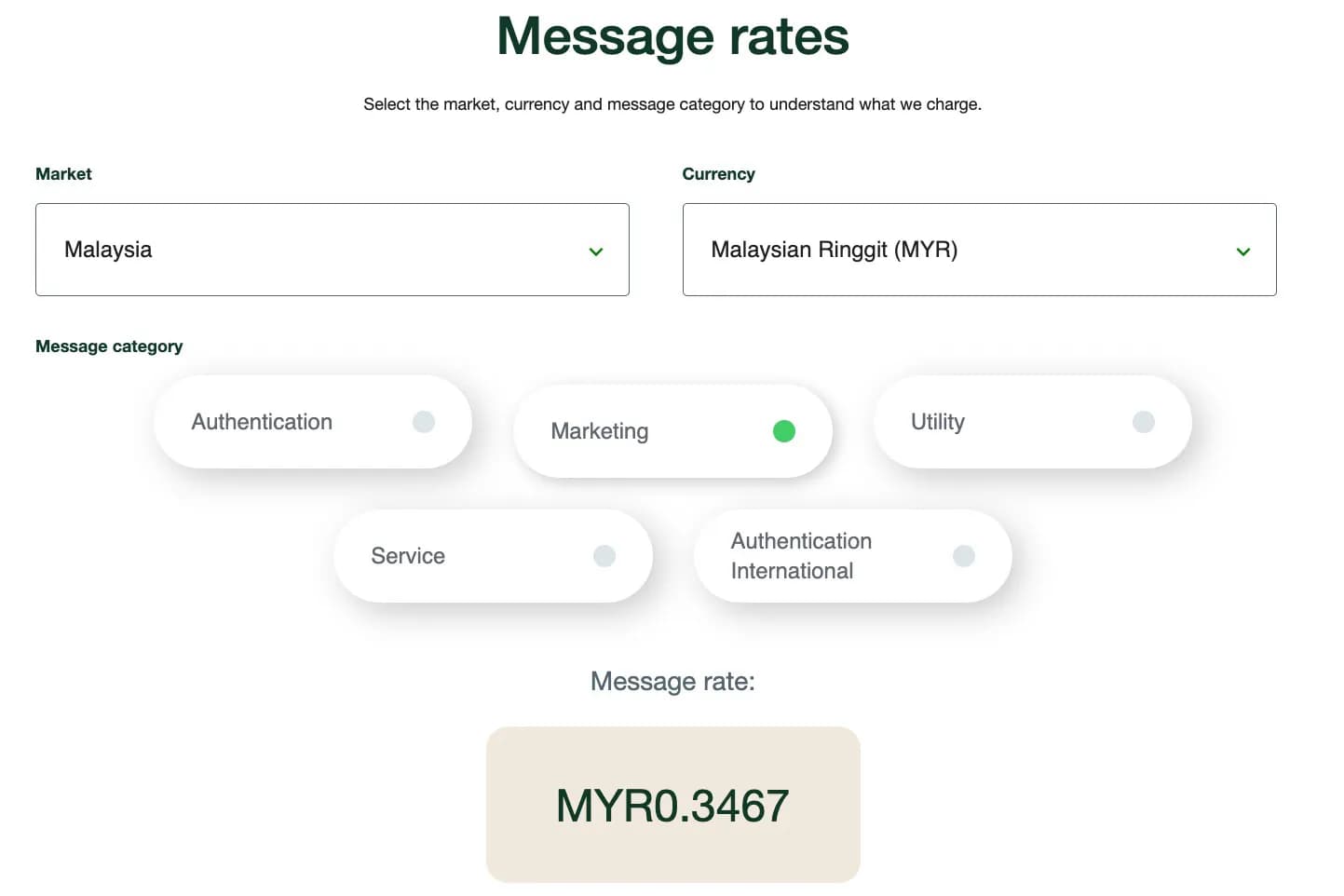
Meta can update pricing, categories, and billing rules over time. Always check the official pricing page before treating any screenshot or internal estimate as final.
Here's an internal reference image only. Always verify the latest pricing on Meta's official pricing page before sending.
Common reasons a send fails
These are the most common problems with Meta Cloud API broadcasts:
| Problem | What to check |
|---|---|
| Template is unavailable | Confirm the template is approved and available in the selected language |
| Variables are missing | Make sure every required placeholder has a value |
| Wrong number selected | Verify you're sending from the correct Meta Cloud API connection |
| Audience is too broad or incorrect | Review your filters, tags, or selected contacts |