 Bouncer Docs
Pipeline Analytics
Track performance and measure your sales process
The Analytics tab provides insights into your pipeline performance, helping you identify bottlenecks and forecast revenue.
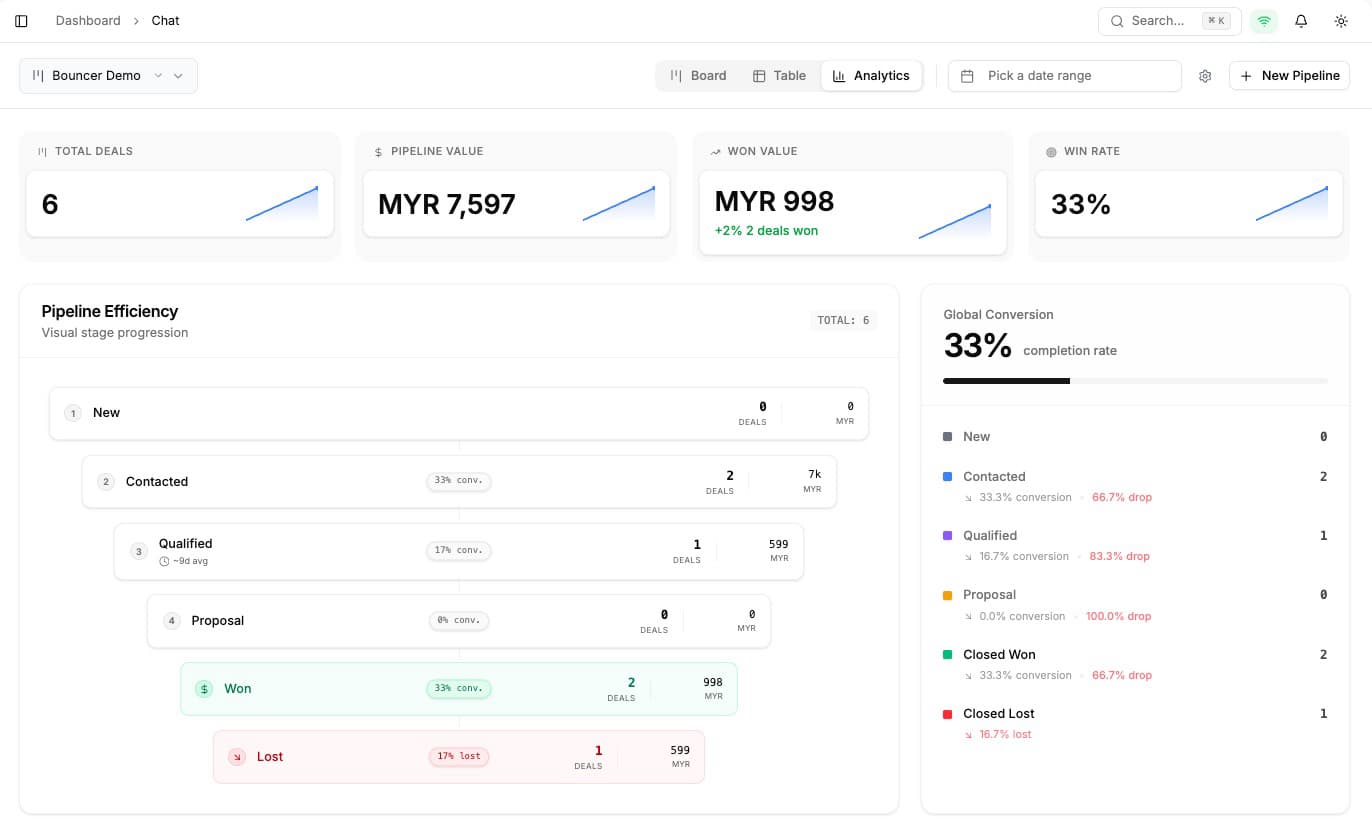
Accessing analytics
- Go to Pipeline view
- Click the Analytics tab at the top
Key metrics
Total pipeline value
The sum of all open deals across your pipeline. This shows your potential revenue if all deals close.
Deals by stage
See how many deals are in each stage. A healthy pipeline should have more deals in early stages than late stages.
Conversion rates
Track the percentage of deals moving from one stage to the next. Low conversion between specific stages indicates a bottleneck.
Example:
- New Lead → Qualified: 60%
- Qualified → Proposal: 45%
- Proposal → Won: 30%
Average time in stage
How long deals typically spend in each stage. Use this to:
- Set realistic expectations for sales cycle length
- Identify stages where deals get stuck
- Configure rotting thresholds appropriately
Filtering analytics
Date range
Filter analytics by time period to see:
- This week's performance
- Month-over-month trends
- Quarterly comparisons
By pipeline
If you have multiple pipelines, select a specific one to view its analytics separately.
Using analytics effectively
Weekly review
Check your analytics weekly to:
- Spot deals stuck in stages
- Identify conversion rate changes
- Forecast upcoming closes
Identify bottlenecks
If a stage has:
- High deal count - Deals are getting stuck
- Low conversion rate - Something is causing drop-off
- Long average time - Process may need improvement
Investigate why and adjust your approach.
Forecast revenue
Use total pipeline value and stage conversion rates to estimate:
- How much revenue to expect this month
- Which deals are most likely to close
- Where to focus your team's efforts