 Bouncer Docs
Sign Up & Login
Create your Bouncer account or sign in
Create your account
Go to the sign up page and fill in:
- Name - Your display name
- Organization name - Your company or team name (doesn't need to be unique)
- Phone number - For account-related contact
- Email - Used for login and notifications
- Password - At least 8 characters with one letter and one number
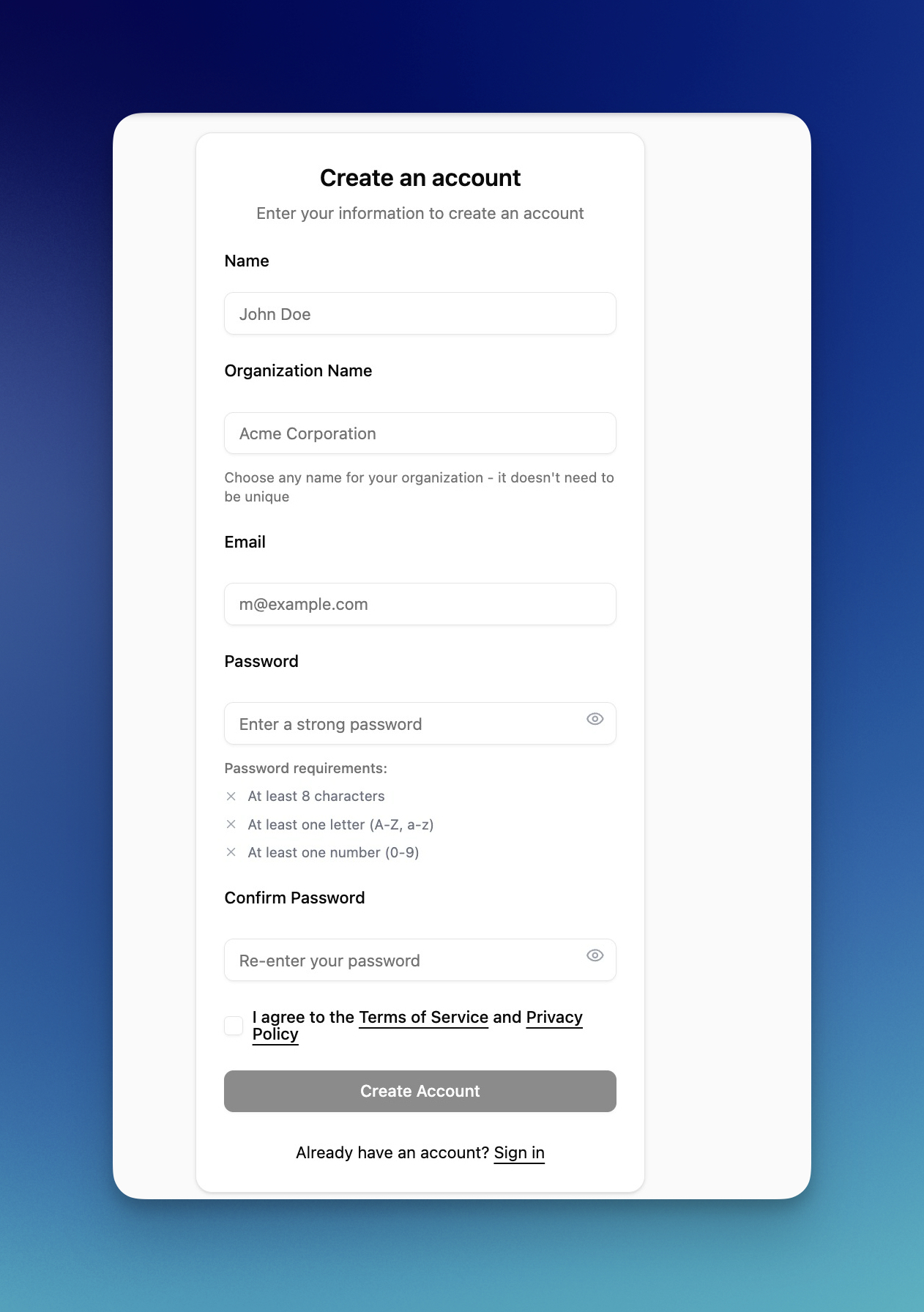
Click Create Account when ready.
Verify your email with OTP
After submitting the form, you'll be redirected to the verification page. Check your email for a 6-digit code.
Enter the code to verify your email:

The code auto-submits when you enter all 6 digits. You can also paste it from your clipboard.
Didn't receive the code?
- Check your spam or junk folder
- Click Resend code to get a new one (available after 2 minutes)
- The code expires after 10 minutes
Once verified, you'll continue to the onboarding flow to connect your first WhatsApp number.
Sign in
Go to the login page and enter your email and password.

Click Sign In to access your dashboard.
Reset your password
Forgot your password? Click Forgot your password? on the login page.
- Enter your email address
- Click Send reset email
- Check your inbox for a reset link
- Create a new password
The reset link expires after a short time, so use it promptly.
Switch organizations
If you belong to multiple organizations, you can switch between them after logging in:
- Click your organization name in the header
- Select a different organization from the dropdown
Your context switches immediately - no need to log out and back in.
Troubleshooting
Invalid credentials - Double-check your email and password. Try resetting your password if you're unsure.
No account found - You may need to sign up first, or check if you used a different email address.